Garden task list and chore planner
Keep every garden job in one list: watering, weeding, sowing, mowing and repairs. Set a chore to repeat, see it on your calendar and tick it done. For a home garden, a community garden or a small farm.

Add a task in a few seconds
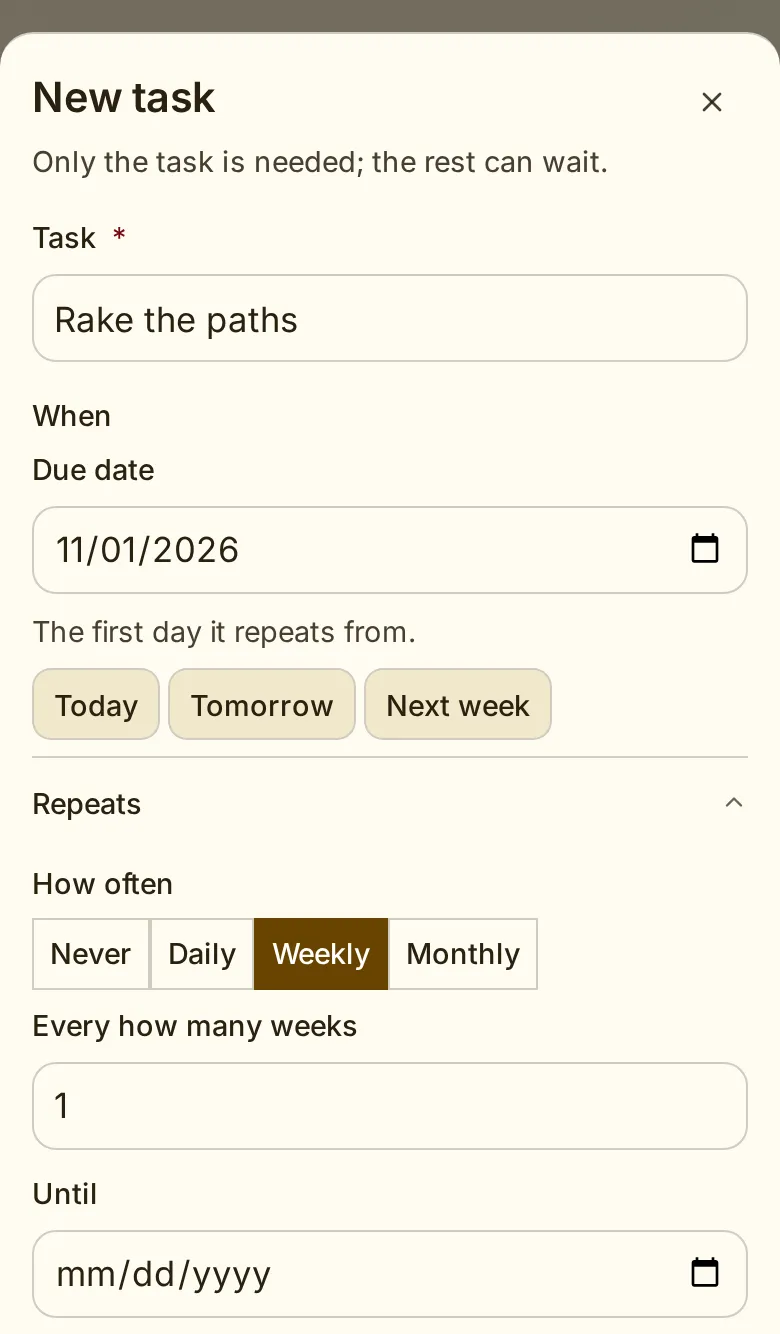
Only the task is needed: type “Water the seedlings” and add it. A due date, how it repeats, the bed or planting, the kind of work, who does it and notes are there when you want them. The same New task form opens from My tasks, My calendar, the planner's Tasks panel and an organisation's tasks page. On a phone it opens as a sheet from the bottom of the screen.
Repeating chores: watering, weeding and mowing
Set a task to repeat daily, weekly on the days you choose, or monthly. Repeat it every so many days, weeks or months, until a date or for good. The form says the rule in plain words, such as “Every week on Saturday”, and shows the next few days. Tick one week done, skip another, and end the series when the season is over.
Sort tasks by the kind of work
Give a task a kind in two steps: the group, then the kind. Plant work holds sow, transplant, thin, water, weed, prune and harvest. Soil care holds compost, fertilise, amend soil and mulch. Grounds upkeep holds mow, clear paths and clean up. Repairs and Other are one kind each. Filter My tasks, My calendar or an organisation's tasks by a group or by one kind.
Tasks from your plantings
In the garden planner, the Tasks panel shows one week at a time. Under From the Library it lists the sowing, transplanting and harvest due that week for each dated planting, worked out from its dates and the Plant Library's timings, such as “Harvest Carrot ×9”. Add one as a task with a tap, or add all of the week's at once. You can read the suggestions without an account; keeping tasks needs an account and a garden saved to it.
See the garden planner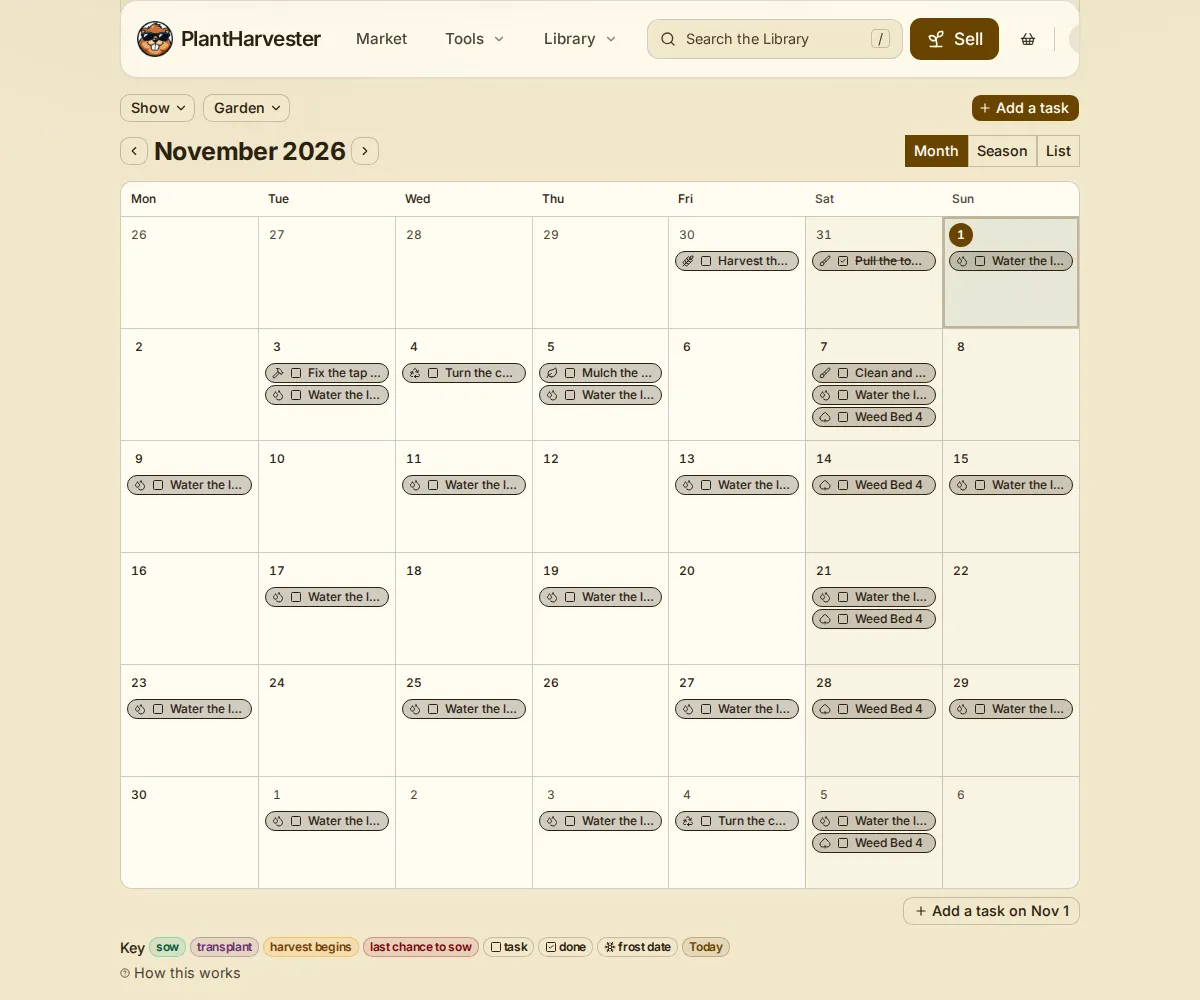
See your tasks on a calendar
My calendar puts your tasks beside each planting's sowing, transplanting and harvest dates, by month, by season or as a list. Filter it to the grow schedule or the tasks, to a kind of work, a garden or one bed, and to your own and open tasks or everyone's. Clear filters puts every filter back, and Add a task sits at the end of the same row.
My tasks: what is yours, soonest first
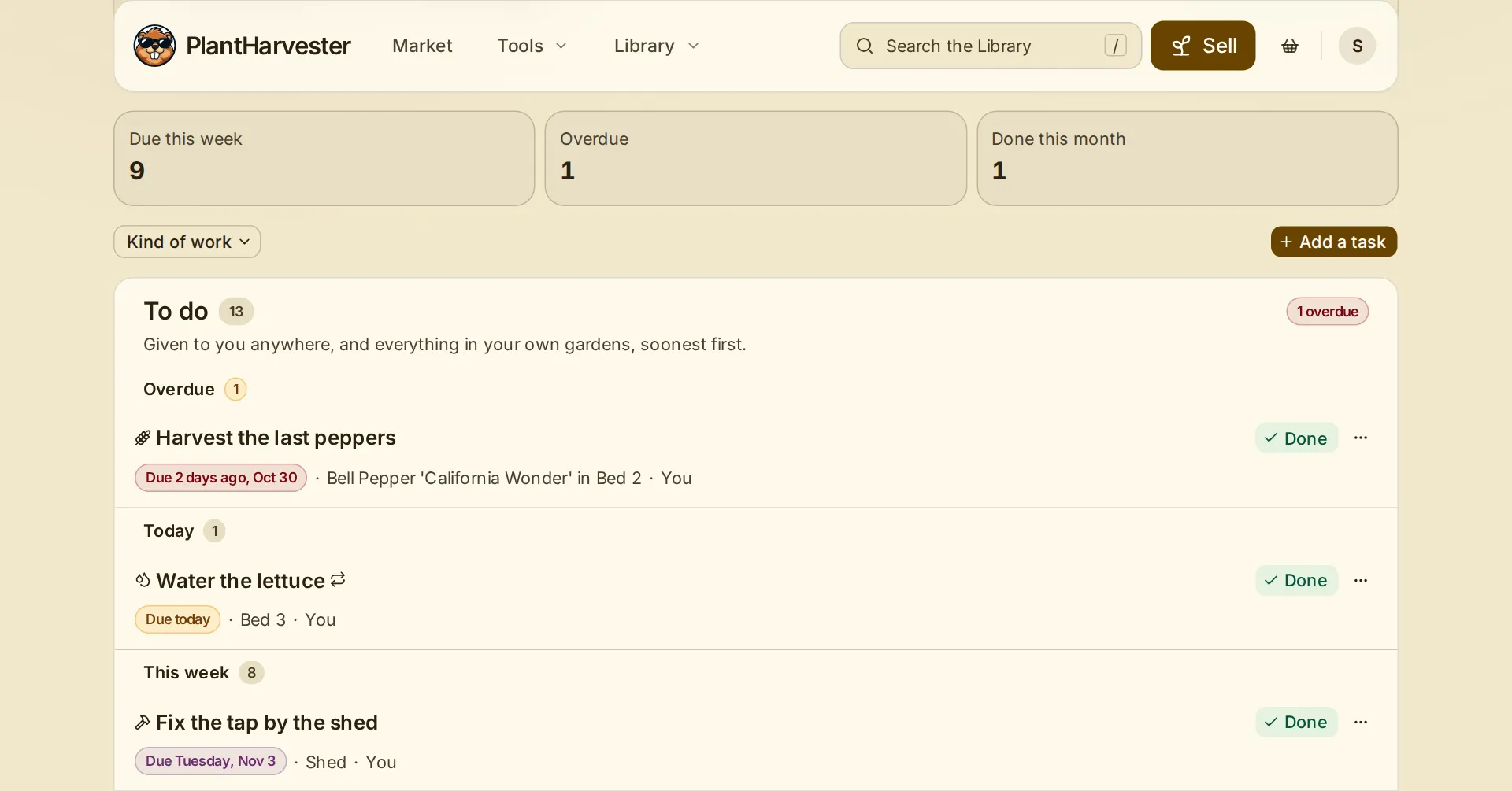
My tasks lists what is yours to do in every garden and organisation you belong to, soonest first. Its top line counts what is due this week, what is overdue and what was done this month. Tick a task done, with an undo in case of a slip; the done list keeps what was finished. Open near you lists tasks nobody has taken yet in the gardens you help in.
Share the work with a garden group
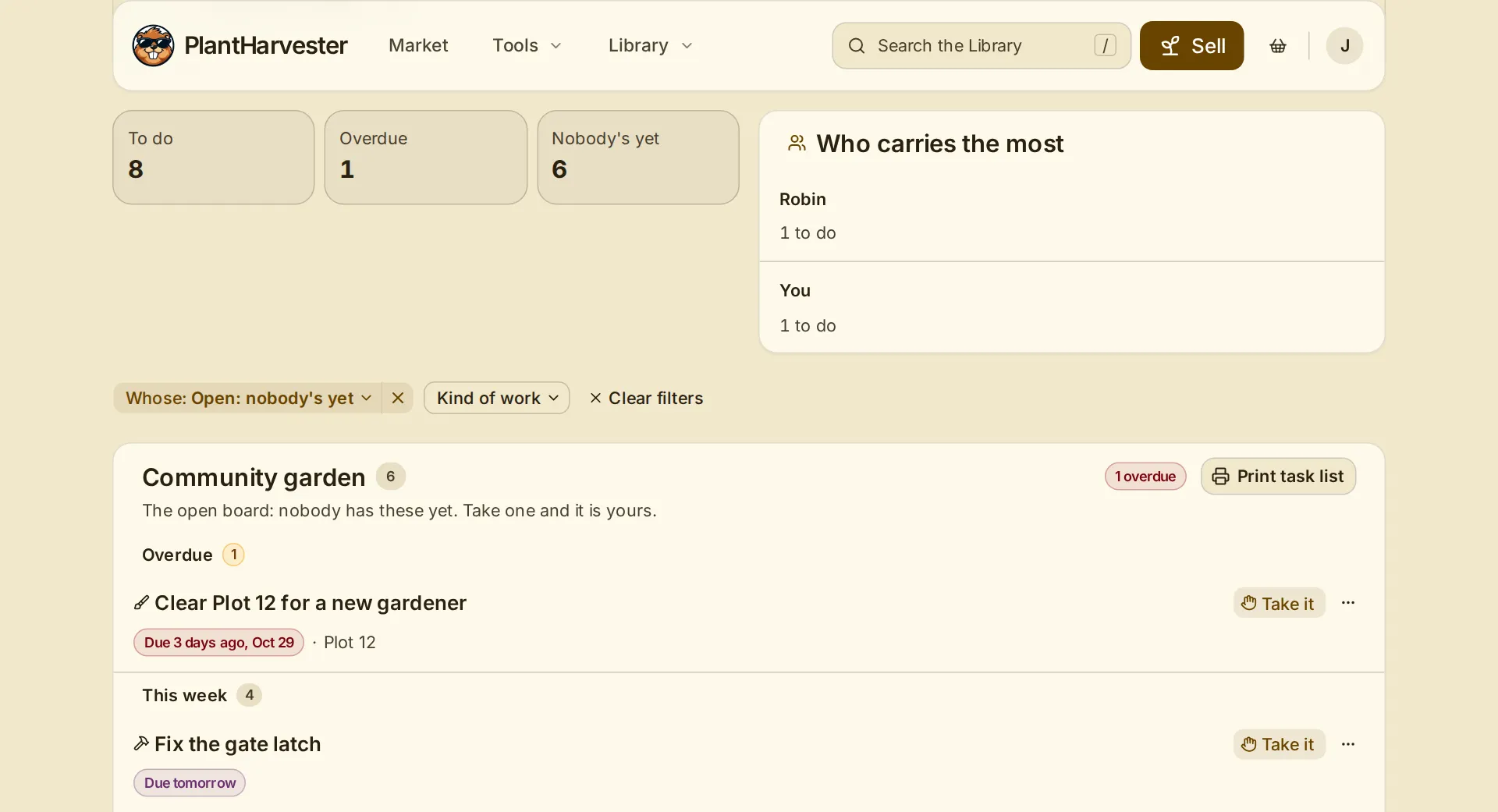
In a shared garden, an owner or coordinator gives a task to a member or posts it on the open board. Any member can press Take it, and the task is theirs. Members finish or give up their own tasks and log their hours. They do not add tasks, and they open an organisation's garden plan to read only.
An organisation's tasks page shows the board at a glance: what is to do, what is overdue and what nobody has yet. Print task list puts a garden's list on paper to take outside.
See community gardensWhat it does not do yet
It sends no email or phone reminders. Open My tasks or My calendar to see what is due this week and what is overdue.