

Free garden planner for vegetable gardens
Draw your beds to scale, plant them from the Plant Library at real spacing, and step through the season by date. It runs in your browser, and you need no account to start.

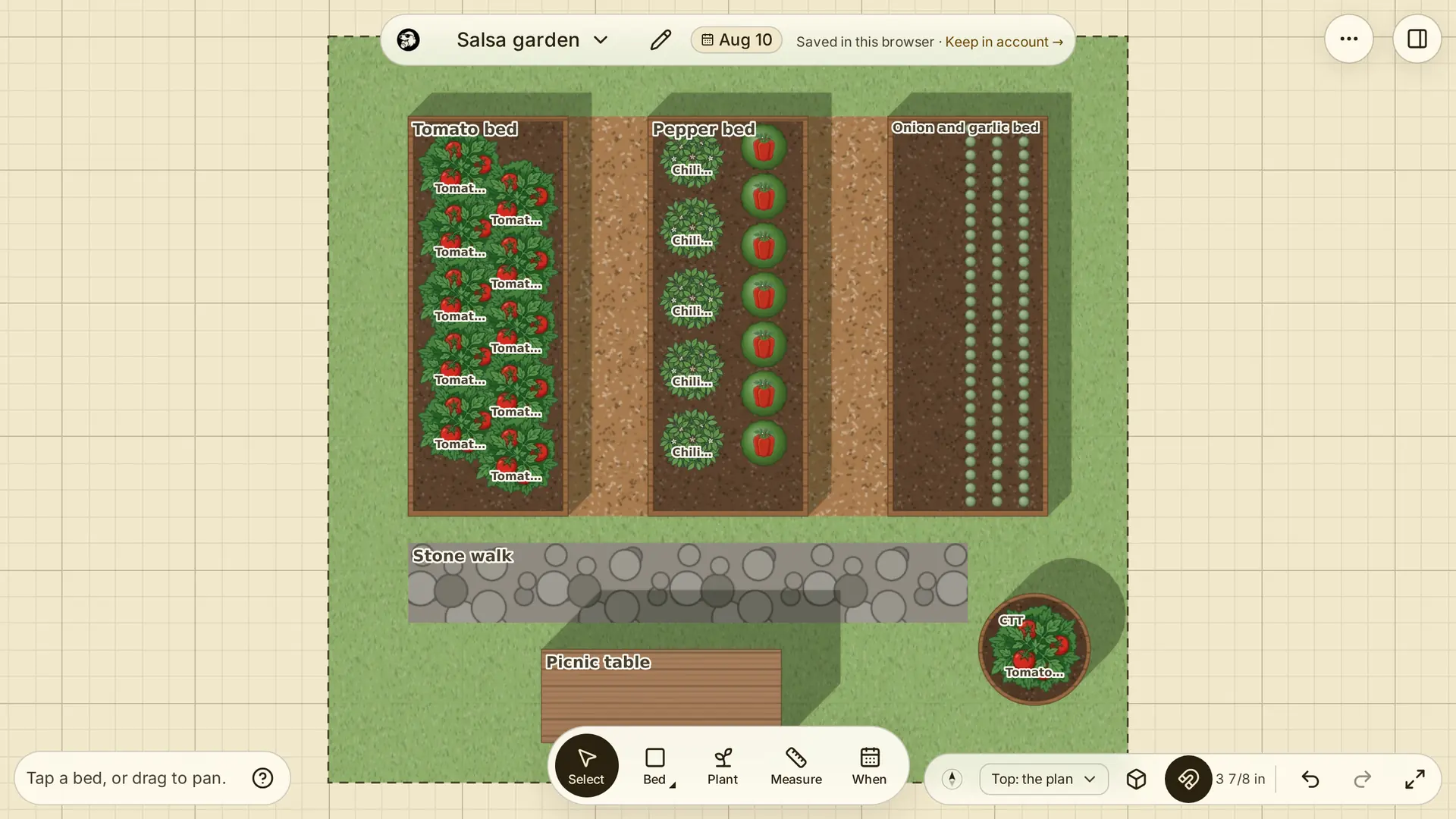
Draw raised beds to scale
Draw your plot, then a 4 ft by 8 ft raised bed inside it and a path beside it. Every length shows in feet and inches or in metres, and beds snap to each other's edges.
Plant from the Library at real spacing
Choose a crop, such as lettuce, and the planner fills the bed at the spacing the Plant Library gives for it. Your seed packet says otherwise? Change the spacing and the bed refills.
Plan a square foot garden
Plant a bed in cells instead of rows: 1, 4, 9 or 16 plants to a 1 ft square, worked out from the crop's spacing. Turn on squares to mark them over every bed, each with its plants counted.
Set planting dates and keep a calendar
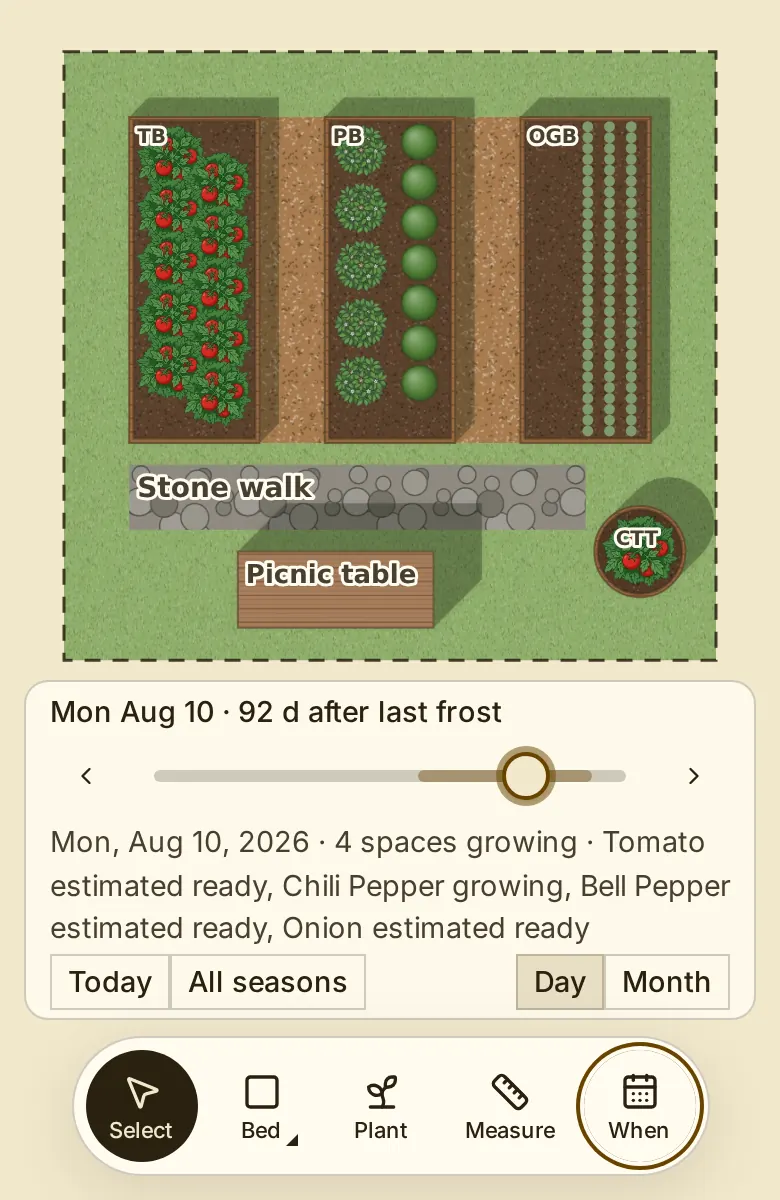
Enter your frost dates and press Fill in planting dates: each planting gets a day from its crop's timing, which you can change. Move the date slider to see what is in the ground in June. Sign in to see when to sow, transplant and harvest in your planting calendar. Choose Month, Season or List view.
Look around it in 3D
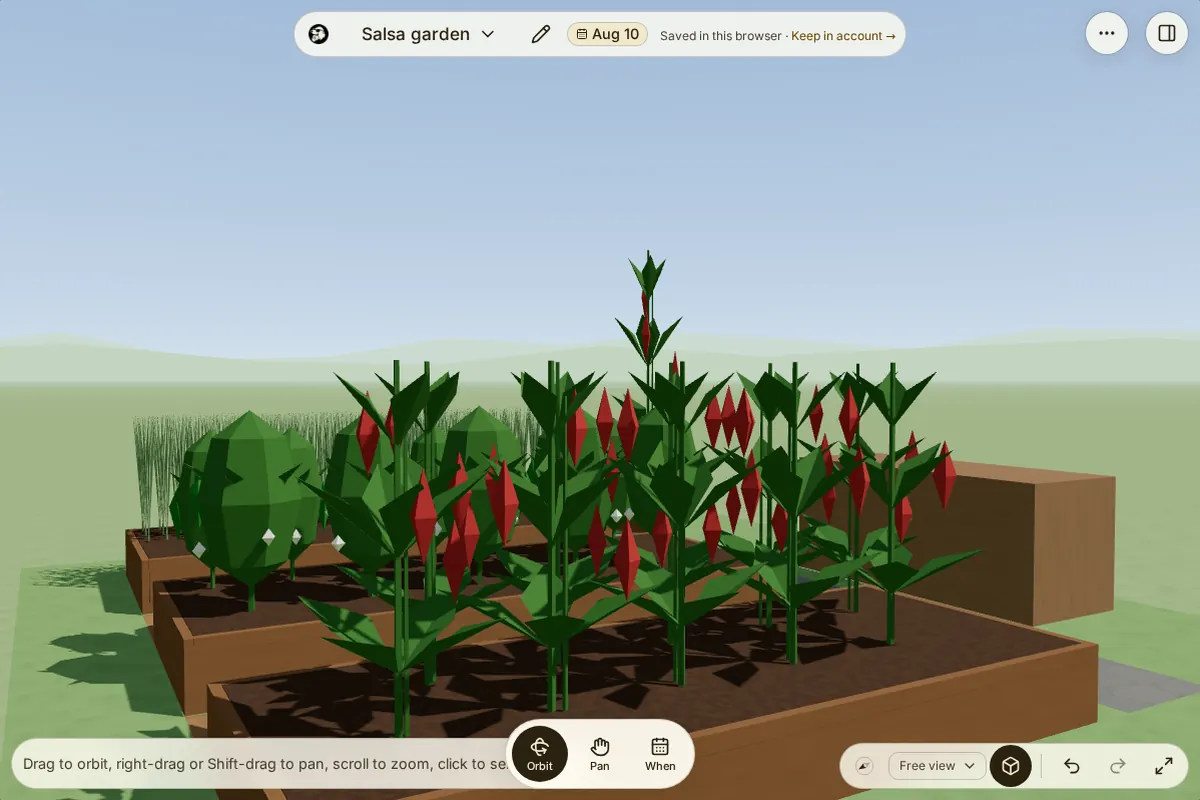
Switch to 3D to see the beds at their height and each crop as it stands on the day shown, in flower or in fruit. Choose the Natural scene for grass and sky, or Plan for a plain backdrop. Drag to turn the garden.
Start from an example garden
Open an example, from a balcony of containers to a no-dig allotment, a three sisters patch and a market farm, and change it to suit. Sign in to describe your garden in a sentence and get an AI draft to edit. This beta feature allows one request per account.
Share tasks and hours in a community garden
Sign in to add tasks for the whole garden, one bed or one planting, and print the list. Add members by email: each sees the tasks, ticks off their own and logs their hours, and the garden adds up everyone's hours for the season.
Keep track of your seed box
Sign in to save a variety from the Plant Library to My seeds. Add each packet you have: where it came from, its year and how much is left. A variety with no seed stays on your wish list.
Save to the browser, your account or a file
The garden saves in your browser as you work. Sign in to keep it in your account, with its history, on every device. Save file downloads it as a garden file you can open again later; the plant list exports as CSV and the plan as a PNG.
How to plan a vegetable garden layout in 3 steps
Read up before you plant
The Plant Library has each crop's spacing and growing times, with their references.